
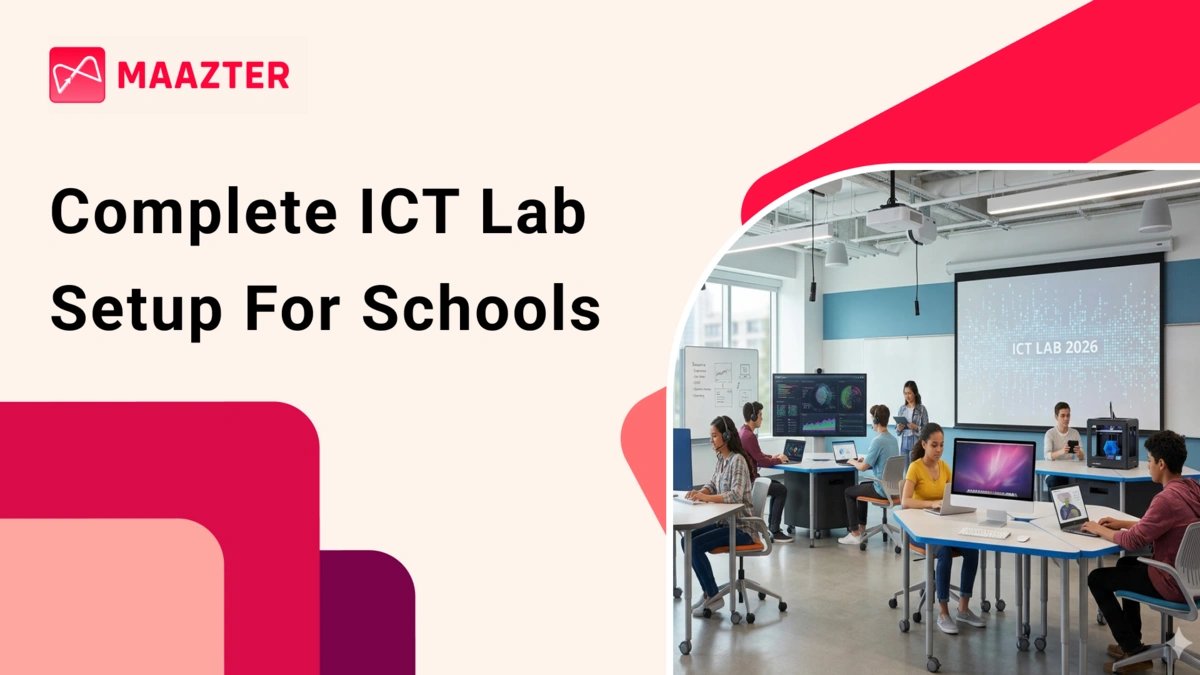
High-Performance ICT Lab for Distraction-Free Smart Classrooms
Many school administrations struggle with digital chaos while introducing digital systems. Without proper guidance to use ICT labs, tablets without proper charging system, and issues in accessing digital content. This leads to waste of time and causes frustration to teachers. Maazter offers a unified ecosystem where hardware and software are pre-configured for a seamless classroom experience. This transforms the ict laboratory from just a computer lab into a hub of innovation that aligns with NEP 2020 policy.
Integrating ICT Tools in Education for Better Outcomes
Choosing the right software is just as important as selecting the right hardware. By integrating ict tools in education, teachers can transform the classroom from traditional lectures to dynamic and creative environments that cater to every learner’s needs.
- Adaptive Learning Platforms: These systems use AI to adjust content difficulty in real-time based on student progress.
- Collaborative Suites: Cloud-based tools that allow students to co-author projects, fostering teamwork and digital communication.
- Digital Resource Libraries: High-speed access to a vast array of textbooks, educational videos, and 3D simulations.
- Automated Assessment: Instant feedback mechanisms that help teachers identify learning gaps immediately after a lesson.
Essential Space Planning for Your ICT Classroom
A modern ict classroom requires a modular layout of flexible seating arrangements and mobile workstations for individual research and group collaboration. When designing, set up comfortable furniture and high-speed Wi-fi access points. This set up ensures that students are comfortable during long hour classes and all the screens are visible to teachers for better classroom management.
Technical Specifications for 2026 Student Tablets and ICT Lab Hardware
The core interface for ICT education today is the high-performance tablet, which is more flexible than desktops. Maazter provides specialized 10.5-inch devices for smooth daily usage. With 8GB of RAM and 128GB of internal storage, these tablets work better. This is built strong and durable, while the option to expand storage up to 1TB via SD card ensures that students never run out of room for high-definition educational videos and complex projects. Investing in high-quality hardware will keep your ict infrastructure in schools long lasting without frequent upgrades.
High Resolution Displays for ICT Learning
During long hour classes students struggle with the eye strain due to long screen time. For the effective ict learning maazter specialized tablet visual features designed for academic environments.
- Crystal Clear Resolution: A 2000 x 1200 IPS LCD screen ensures that every diagram and text block is sharp and legible.
- 2.5D Corning Glass: This industrial-grade protection offers a premium tactile feel while providing superior resistance to scratches and drops.
- Wide Viewing Angles: Ensuring that content remains visible even when two or more students are collaborating on a single device.
- Integrated Blue Light Filters: Software-level adjustments that protect student vision during late-afternoon or evening research sessions.
Battery Longevity and Performance Standards
The robust hardware is the backbone for digital learning success. Our tablets are equipped with 7500 mAh batteries, and last for six hours of continuous usage. This ensures that tablets last for full day school hours without charging in between. The fast-charging capabilities prevent the delay and are always ready for device usage.
Managing Your ICT Lab with Specialized Charging Infrastructure
For ICT setup schools must invest in infrastructure. Maazter’s charging trolley charges up to 50 devices at once. This infrastructure prevents the logistical nightmare of tangled power strips and damaged charging ports. By centralized power management, schools can ensure that every device is ready for the next class. This creates a professional learning environment and extends the life span of digital equipment.
Secure Charging and Storage Solutions
Managing and Organizing many school devices is simplified through our charging trolleys. These units provide safe, simultaneous power management through several key features,
- Smart Power Sequencing: Built-in timers and sequencers protect the lab’s electrical circuit from power surges during startup.
- Advanced Ventilation: Front and rear cooling vents prevent the devices from overheating while they charge in a confined space.
- Locking Security: Robust physical locks and brake-equipped wheels ensure the lab can be moved safely or secured in place.
- Internal Organizers: Individual slots for each tablet keep cables neat and prevent physical damage from stacking.
Reliable ICT Support for Schools and Teachers
Providing ICT Support for Schools is easier by using quality hardware and a single trolley system. This centralized approach reduces the risk of missing devices. By setuping ICT laboratory in schools, teachers can dedicate their energy to pedagogy rather than logistics. We focus on even non-technical staff feeling confident to use it as part of their daily teaching routine.
Ensuring Security and Focus in Smart ICT Labs for Schools
The success of smart ICT labs for schools is how they prevent digital distractions. Maazter’s pre-installed Mobile Device Management (MDM) software provides administrators and teachers complete control on student screens. By locking tablets into a specialized “Education Mode”, schools ensure that students follow only the curriculum. This security layer ensures that technology is used only for educational purposes.
Implementing Robust Mobile Device Management
The centralized center allows administrators to have control over all the tablets. The MDM system facilitates high-level security and efficiency through,
- Strict App Whitelisting: Students are prevented from downloading or using any apps that haven't been vetted and approved by the school.
- Remote Content Pushing: Administrators can instantly update textbooks or distribute new assignments to all tablets with a single click.
- Kiosk Mode Functionality: Locks the tablet to a specific app or website, which is ideal for conducting secure digital examinations.
- Device Status Monitoring: Real-time data on battery levels, storage capacity, and system health across the entire lab.
Real Time Monitoring and Safety Protocols in the ICT Lab
Schools must actively monitor the device usage. The IT staff can monitor device location and usage. If the tablet is removed from the school area it can be remotely disabled to prevent misuse. Devices are safely stored and charged in secure trolleys to prevent damage or theft.
Transforming Education Through an Advanced ICT Lab
Building a world class ICT Lab is a strategic investment in the future of every student and the reputation of the school. By combining high-performance tablets, intelligent charging solutions, and strict MDM controls, We empower educational institutions to deliver a premium, 21st-century learning experience. A well-managed lab does more than teaching computer skills, it opens a gateway to global knowledge and critical thinking. Contact Maazter today to modernize your school’s digital infrastructure and provide your students with the tools they need to succeed in the 2026 academic landscape and beyond.